 Keycap
Blog · 3 min read ·
Typing posture and hand position that will not hurt
Wrists flat, elbows at ninety degrees, screen at eye height, and hands that float rather than rest. The basics of typing without strain, and the habits that cause it.
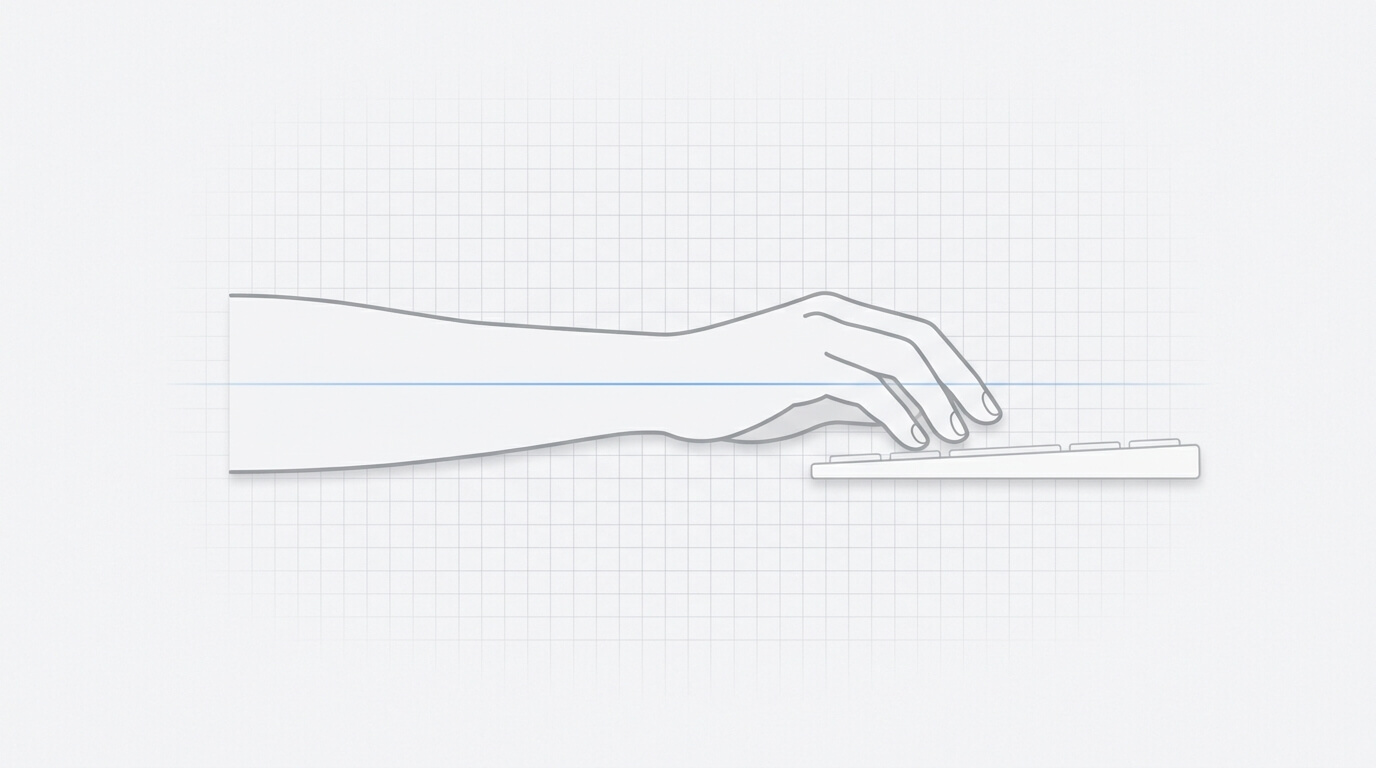
Most typing discomfort comes from three things: wrists bent upward, hands anchored to the desk, and hours without a break. None of them requires new equipment to fix.
The setup
Chair and desk. Sit so your elbows are at roughly ninety degrees with your forearms level. If the desk is too high, raise the chair and add a footrest; if it is too low, raise the desk. Forearms angled upward to reach the keyboard is the most common source of wrist strain.
Screen. Top of the screen at or a little below eye level, about an arm's length away. A laptop on a desk puts the screen too low; a stand and a separate keyboard fix that.
Keyboard. Flat or tilted slightly away from you. The little feet on the back of most keyboards tilt it toward you, which bends the wrists upward. Fold them down.
The hands
Wrists straight. Look at your hands from the side. The back of the hand should continue the line of the forearm, not bend up toward you. From above, the hand should not angle outward from the wrist either.
Float, do not rest. Hands hover above the keys and drop to strike. Resting the wrists on the desk or a wrist rest while typing fixes them in place and forces the fingers to stretch for keys the hand should move to. A wrist rest is for pauses.
Light strokes. Mechanical keys register partway down. Bottoming out hard on every key is unnecessary and adds up over a day.
Fingers curved. Relaxed, like holding a ball, not flat and not clawed.
The habits
Move the hand, not the finger. When a key is far from the home row, let the whole hand shift slightly rather than stretching a finger. This is what touch typing's finger assignments are for: a key belongs to the finger below it so the hand barely moves.
Break every twenty minutes. Stand, shake out your hands, look at something far away. Discomfort that builds slowly is the kind that becomes a problem.
Keep the mouse close. Reaching across a full-size keyboard to a distant mouse, hundreds of times a day, does more to the shoulder than typing does. A compact keyboard, or keyboard shortcuts instead of the mouse, helps more than most ergonomic accessories.
Pain is a stop sign
Tingling, numbness, or pain that persists after you stop typing is not something to type through, and it is not something a blog post can diagnose. Stop, rest, and see a professional. Typing trainers measure speed and accuracy; they are not medical devices and cannot tell you whether a reach is hurting you.
Common questions
Should your wrists rest on the desk while typing?
No. Rest them between bursts of typing if you like, but while typing the hands should float so that the whole hand can move to distant keys instead of the fingers stretching.
What is the correct angle for a keyboard?
Flat, or tilted slightly away from you. Tilting it toward you, as the fold-out feet do, bends the wrists upward.
How often should I take a break from typing?
Briefly every twenty to thirty minutes, and longer once an hour. Stand, move your hands, and look away from the screen.